The Complete Guide to Google Ads for Beginners
Introduction
In today’s digital world, businesses need effective ways to reach potential customers online. While Search Engine Optimization (SEO) is a powerful long-term strategy, it can take months to see results. Google Ads, on the other hand, allows businesses to appear at the top of Google search results almost instantly, making it one of the fastest and most effective ways to generate leads, increase website traffic, and boost sales.
Whether you’re a small business owner, entrepreneur, or marketer, understanding how Google Ads works can help you attract the right audience and maximize your marketing budget. This beginner-friendly guide will walk you through everything you need to know about Google Ads, from setting up your first campaign to optimizing it for better results.
What Is Google Ads?
Google Ads is Google’s online advertising platform that allows businesses to display ads across Google’s network, including:
- Google Search Results
- Google Display Network
- YouTube
- Gmail
- Google Maps
- Mobile Apps
Advertisers bid on keywords related to their products or services, and when users search for those terms, relevant ads may appear at the top of the search results.
The best part? You only pay when someone clicks on your ad, which is why Google Ads is commonly known as Pay-Per-Click (PPC) advertising.
Why Businesses Use Google Ads
Google processes billions of searches every day, and many of those searches come from users actively looking for products or services.
Benefits of Google Ads
- Immediate visibility on Google
- Highly targeted audience reach
- Flexible budget control
- Measurable campaign performance
- Fast lead generation
- Increased website traffic
- Better brand awareness
Unlike traditional advertising, Google Ads allows businesses to reach users who are already interested in what they offer.
How Google Ads Works
Google Ads operates through an auction-based system.
When a user searches for a keyword, Google determines which ads appear based on several factors.
Keyword Relevance
How closely your keyword matches the user’s search intent.
Bid Amount
The maximum amount you’re willing to pay for a click.
Quality Score
Google’s rating of your ad relevance, expected click-through rate, and landing page quality.
Landing Page Experience
The quality, relevance, and user experience of the page users visit after clicking your ad.
The advertiser with the highest overall Ad Rank gains better placement opportunities.
Types of Google Ads Campaigns
Google Ads offers multiple campaign types, each designed to achieve specific marketing goals.
1. Search Campaigns
Search ads appear directly within Google search results.
Best For:
- Lead generation
- Service-based businesses
- Local businesses
- High-intent customers
Example:
When someone searches for “Digital Marketing Agency Near Me,” a search ad may appear at the top of the results.
2. Display Campaigns
Display ads appear on websites, blogs, and apps within Google’s Display Network.
Best For:
- Brand awareness
- Retargeting campaigns
- Visual advertising
Display ads typically include images, graphics, and promotional messaging.
3. Video Campaigns
Video ads appear on YouTube and partner websites.
Best For:
- Brand storytelling
- Product demonstrations
- Customer engagement
Video advertising continues to grow because it effectively captures user attention.
4. Shopping Campaigns
Shopping ads display product images, prices, and store information directly within search results.
Best For:
- E-commerce businesses
- Retail brands
- Online stores
These ads help shoppers compare products before making purchasing decisions.
5. Performance Max Campaigns
Performance Max campaigns use Google’s AI and automation to display ads across all Google properties.
Best For:
- Businesses seeking broader reach
- Multi-channel marketing strategies
- Automated campaign management
Google automatically optimizes placements and bidding to maximize results.
Step-by-Step Guide to Creating Your First Google Ads Campaign
Step 1: Create a Google Ads Account
Visit Google Ads and create an account using your Google login credentials.
Provide:
- Business information
- Website URL
- Advertising goals
Step 2: Define Your Campaign Objective
Choose a goal that aligns with your business objectives.
Common Objectives
- Website traffic
- Lead generation
- Sales
- Brand awareness
- App promotion
Selecting the right objective helps Google optimize your campaign performance.
Step 3: Conduct Keyword Research
Keywords are the foundation of every successful Google Ads campaign.
Choose keywords that potential customers are likely to search for.
Example Keywords for a Digital Marketing Agency
- Digital marketing services
- SEO agency
- Google Ads management
- Website design services
- Local SEO company
Focus on keywords with strong commercial intent and buyer interest.
Step 4: Create Compelling Ad Copy
Your ad should encourage users to click and take action.
Essential Ad Components
Headline
Grab attention and include your target keyword.
Description
Highlight benefits, solutions, and unique selling points.
Call-to-Action (CTA)
Examples:
- Get a Free Consultation
- Request a Quote Today
- Contact Us Now
- Learn More
Well-written ads improve click-through rates and overall campaign performance.
Step 5: Set Your Budget
One of the biggest advantages of Google Ads is budget flexibility.
You can set:
- Daily budgets
- Monthly spending limits
- Maximum cost-per-click (CPC) bids
Start with a manageable budget and scale based on campaign performance.
Step 6: Choose Your Target Audience
Google Ads offers highly detailed audience targeting options.
Location Targeting
Target specific cities, regions, or countries.
Demographic Targeting
Target users based on:
- Age
- Gender
- Income
- Household status
Interest-Based Targeting
Reach users based on online behavior and interests.
Device Targeting
Choose between:
- Desktop users
- Mobile users
- Tablet users
Proper targeting improves advertising efficiency and return on investment.
Step 7: Launch Your Campaign
Once your settings are configured, launch your campaign and begin collecting performance data.
Monitor results closely during the first few weeks to identify optimization opportunities.
Understanding Important Google Ads Metrics
Tracking the right metrics is essential for campaign success.
Click-Through Rate (CTR)
Measures how often users click your ad after seeing it.
A higher CTR typically indicates relevant and engaging ad copy.
Cost Per Click (CPC)
The amount you pay when someone clicks your ad.
Lower CPCs often improve campaign profitability.
Conversion Rate
Measures how many visitors complete a desired action.
Examples of Conversions
- Contact form submissions
- Phone calls
- Purchases
- Consultation bookings
Quality Score
Google’s assessment of:
- Keyword relevance
- Ad quality
- Landing page experience
Higher Quality Scores often result in lower advertising costs and better ad placements.
Return on Ad Spend (ROAS)
Measures the revenue generated for every dollar spent on advertising.
A strong ROAS indicates an efficient and profitable campaign.
Best Practices for Google Ads Success
Focus on High-Intent Keywords
Target users actively searching for your services.
Example:
“SEO Agency Near Me” often converts better than “What Is SEO?”
Use Ad Extensions
Ad extensions provide additional information and improve ad visibility.
Common Ad Extensions
- Call extensions
- Location extensions
- Sitelink extensions
- Callout extensions
Extensions often increase click-through rates and user engagement.
Create Dedicated Landing Pages
Sending traffic to a highly relevant landing page improves conversion rates.
Your landing page should:
- Match ad messaging
- Load quickly
- Include clear CTAs
- Provide valuable information
Continuously Test and Optimize
Successful Google Ads campaigns require ongoing optimization.
Test:
- Headlines
- Descriptions
- Keywords
- CTAs
- Landing pages
Even small improvements can significantly enhance campaign performance.
Common Google Ads Mistakes Beginners Make
Avoid these common mistakes when running Google Ads campaigns.
Choosing Broad Keywords
Broad targeting can waste your budget on irrelevant clicks.
Ignoring Negative Keywords
Negative keywords prevent your ads from appearing for unrelated searches.
Writing Weak Ad Copy
Generic ads often result in low CTRs and poor performance.
Using Poor Landing Pages
A great ad cannot compensate for a poor user experience after the click.
Not Tracking Conversions
Without conversion tracking, it’s impossible to measure campaign effectiveness accurately.
The Future of Google Ads
Google Ads continues to evolve with advancements in artificial intelligence and automation.
Emerging Trends in Google Ads
- AI-powered bidding strategies
- Performance Max campaigns
- Predictive audience targeting
- Video-first advertising
- Enhanced personalization
- Automated campaign optimization
Businesses that stay updated with these developments will gain a significant competitive advantage.
Benefits of Google Ads for Businesses
| Benefit | Business Impact |
|---|---|
| Instant Visibility | Appear at the top of search results quickly |
| Qualified Traffic | Reach users actively searching for your services |
| Flexible Budget | Control advertising spend effectively |
| Better Lead Generation | Generate inquiries and conversions |
| Measurable Results | Track performance accurately |
| Brand Awareness | Increase business visibility online |
| Higher ROI Potential | Improve marketing profitability |
Conclusion
Google Ads is one of the most powerful digital marketing platforms available today. It enables businesses to reach potential customers precisely when they are searching for products or services, making it an effective tool for lead generation, sales growth, and brand awareness.
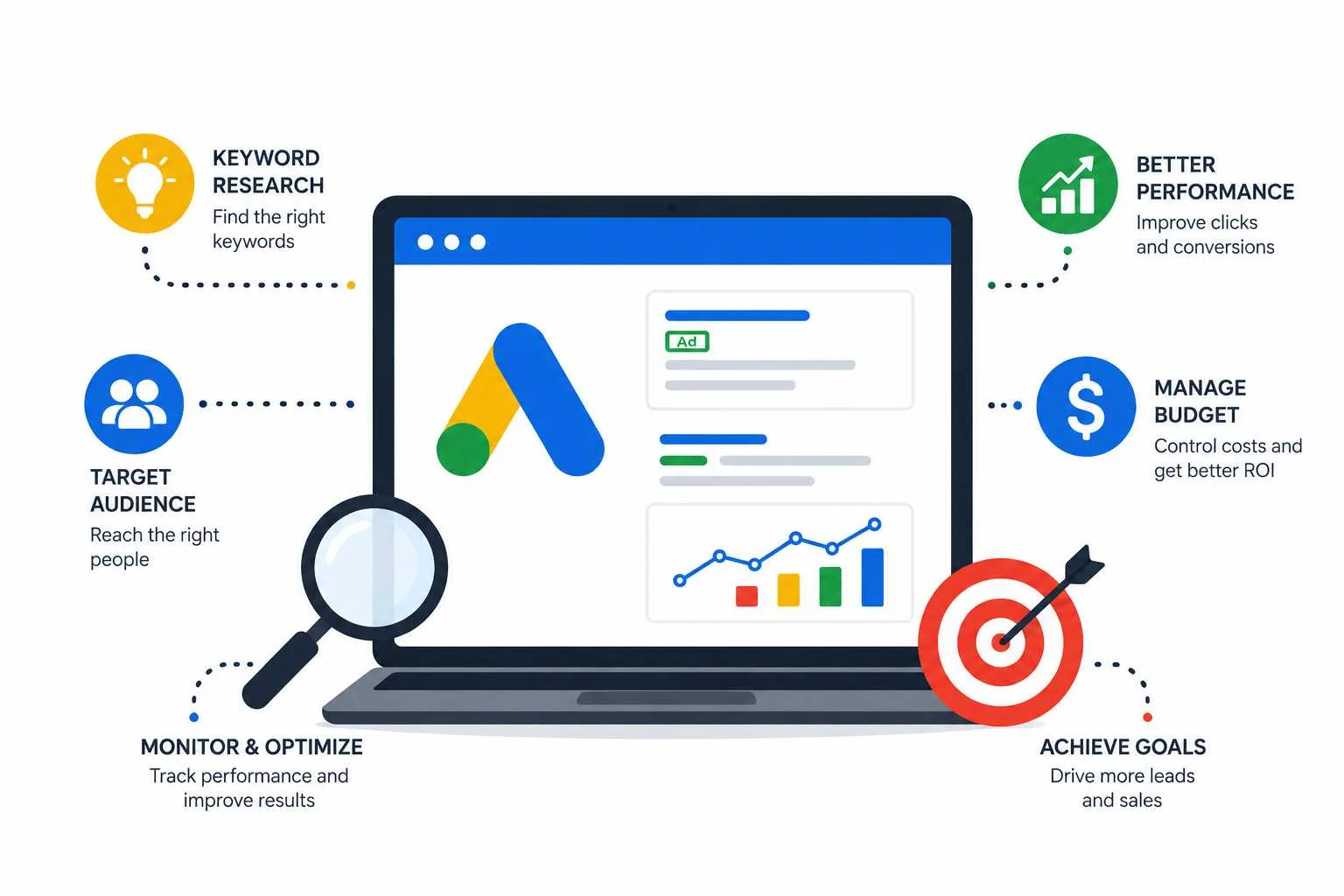
For beginners, success starts with understanding the fundamentals: choosing the right keywords, writing compelling ads, targeting the right audience, and continuously optimizing campaign performance.
With proper planning and ongoing improvements, Google Ads can become a valuable asset in your digital marketing strategy and help your business achieve sustainable growth.
Frequently Asked Questions (FAQs)
1. Is Google Ads suitable for small businesses?
Yes. Google Ads allows businesses of all sizes to set flexible budgets and target specific audiences effectively.
2. How much should beginners spend on Google Ads?
The ideal budget depends on your industry, competition, and goals. Many businesses start with a modest daily budget and scale based on results.
3. How long does it take to see results from Google Ads?
Unlike SEO, Google Ads can generate traffic and leads almost immediately after a campaign launches.
4. What is Quality Score in Google Ads?
Quality Score is Google’s rating of your keyword relevance, ad quality, and landing page experience.
5. Can Google Ads help generate leads?
Absolutely. When properly optimized, Google Ads is one of the most effective lead-generation tools available.
Key Takeaway
Google Ads offers businesses a fast, measurable, and scalable way to reach potential customers online. By mastering keyword research, audience targeting, ad creation, and campaign optimization, beginners can build successful advertising campaigns that drive traffic, generate leads, and increase revenue.